· Ilya Kaminsky · 2 min read
Serverless: How to Publish Your App and Not Your Source Code
Continue reading to learn how to leverage Serverless platforms to deploy your apps to the public internet without exposing your source…
Serverless platforms are great. Some of them allow you to publish apps without having to pay a dime. The caveat is that your source code must be public as well. That’s perfectly fine for small experiments and open source projects, but what if you want to keep your code to yourself? Well, with the power of two-way encryption, private environment variables, and an eval() function, it is possible to keep your apps public and your code private. Continue reading below to find out how.
For this demonstration, we’re going to look at the “Obfuscated Source Code Experiment.” I’ve set it up on RunKit, which is a Serverless platform for Node.js. You can see the final version of the app by navigating over to the published endpoint at https://obfuscated-source-code-experiment-4rfhxf9cxpqi.runkit.sh. But, when you look at the source code, this is all you see:
Public source code
const SimpleCrypto = require("simple-crypto-js").default;

const simpleCrypto = new SimpleCrypto(process.env.OBFUSCATED_SOURCE_CODE_SECRET);

const encryptedCode = '4ca0629fc06585ddc6ea277399e2f7dc6cdd910fbdf62db93f116ef25e7c7b7bhqBULQZPW5Mr2J0ACFG0Nw85K5tNvJyiCLGqb6Prgv3ihass+hft85IR+Sf2haoNgOydwfin4tmCsxS62JPYG9RhmyXvcGdrsiNy8TgyAHY1TZtg2cEBFbTD+keh6d4laIVs+25I5+I2wmD0ZEqJG0WT6EVx+KT+CWIJkUmKy//+etfmPkJ09f5FIO6FFggA+HHaTfxeZf4u2K2VmVggAh07nkgVZbA99Dg8GAIr75rgtYeZGoaZ9buhu+ijyX0X1z4c7Lnhj6U1W5sBt29gow';

const code = simpleCrypto.decrypt(encryptedCode);

exports.endpoint = eval(code);In the meantime, the actual source code for the application can be safely stored locally or in a private repository. Though you wouldn’t normally see it, here’s what it looks like for the app above:
Hidden source code
const secretFunction = (req, res) => {
  const date = new Date();
  const greeting = 'Hello world';

  const response = `${greeting}! The current time is ${date.toLocaleTimeString()} UTC`;

  res.end(response);
};And here is the boilerplate code to encrypt the secretFunction into a string and to print it in the console:
Boilerplate source code
const SimpleCrypto = require('simple-crypto-js').default;

const secret = 'hunter2';

const simpleCrypto = new SimpleCrypto(secret);

const secretFunction = // anything

const encryptedCode = simpleCrypto.encrypt(secretFunction.toString());

console.info('Update the value of `encryptedCode` on the serverless platform:')
console.info(encryptedCode);All of this is enabled by the magic of environment variables. They are an integral part of the Serverless paradigm, allowing the developers to keep their secret values private. They’re generally used for things like authentication tokens, access keys, and configuration variables. You can learn a lot more about them by reading the third rule of the Twelve-Factor App guide.
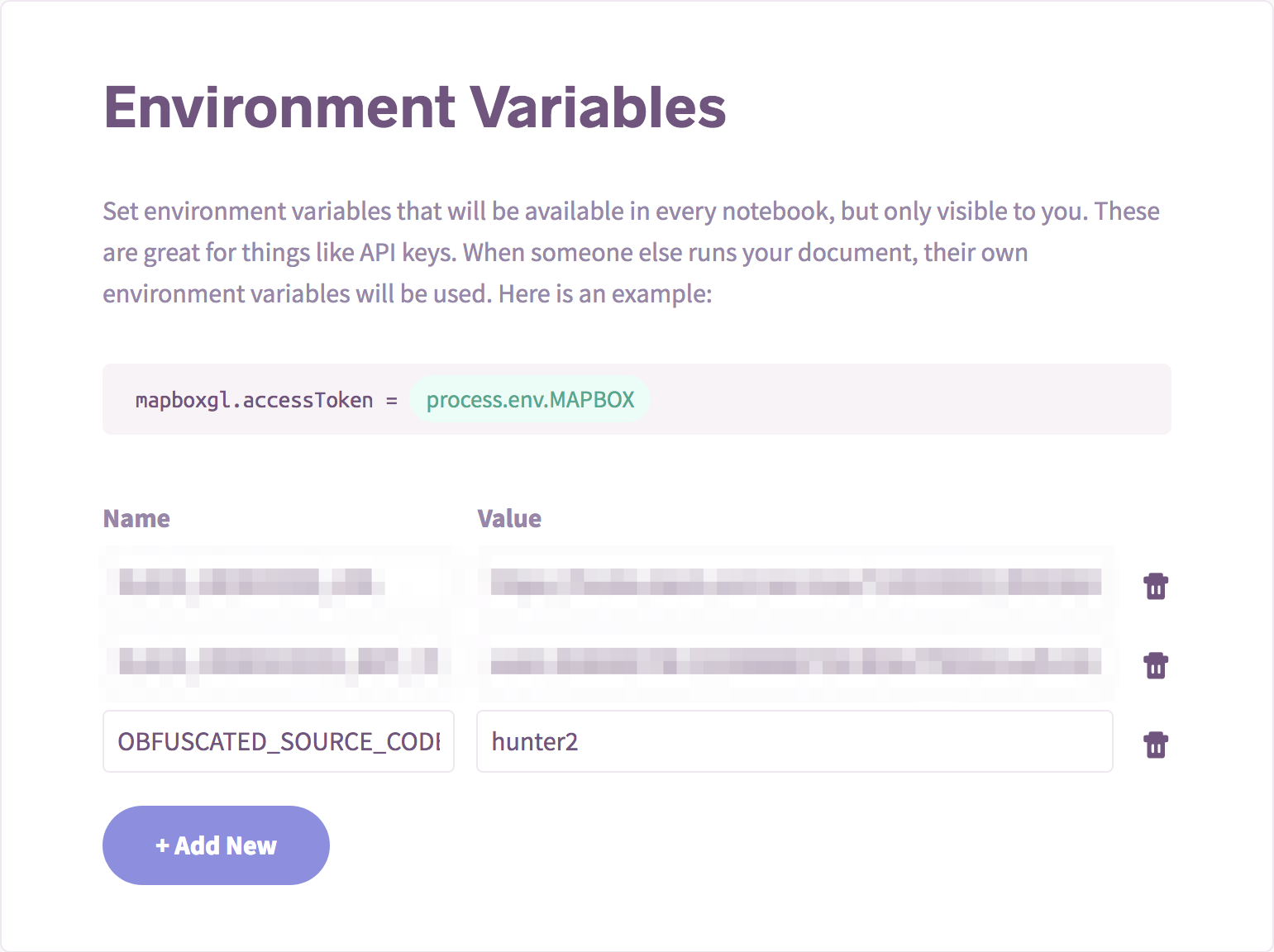
You can set secret environment variables on RunKit
Disclaimer: I am not a security expert. Do your own research to find a secure package that offers two-way encryption that suits your needs. I only picked simple-crypto-js because it worked well enough for this proof-of-concept.