· Ilya Kaminsky · 1 min read
OS X Modifier Keys on a PC Keyboard
Ever tried using the copy/paste shortcuts on your Mac with a PC keyboard? If so, you must have realized that Control+C does not work, and…
Ever tried using the copy/paste shortcuts on your Mac with a PC keyboard? If so, you must have realized that Control+C does not work, and the Command key is nowhere to be found. Some people are OK with the default mapping of the Windows key to replace the Command key. In case you are not, here’s how to remap the modifier keys so that their layout is all too familiar to you:
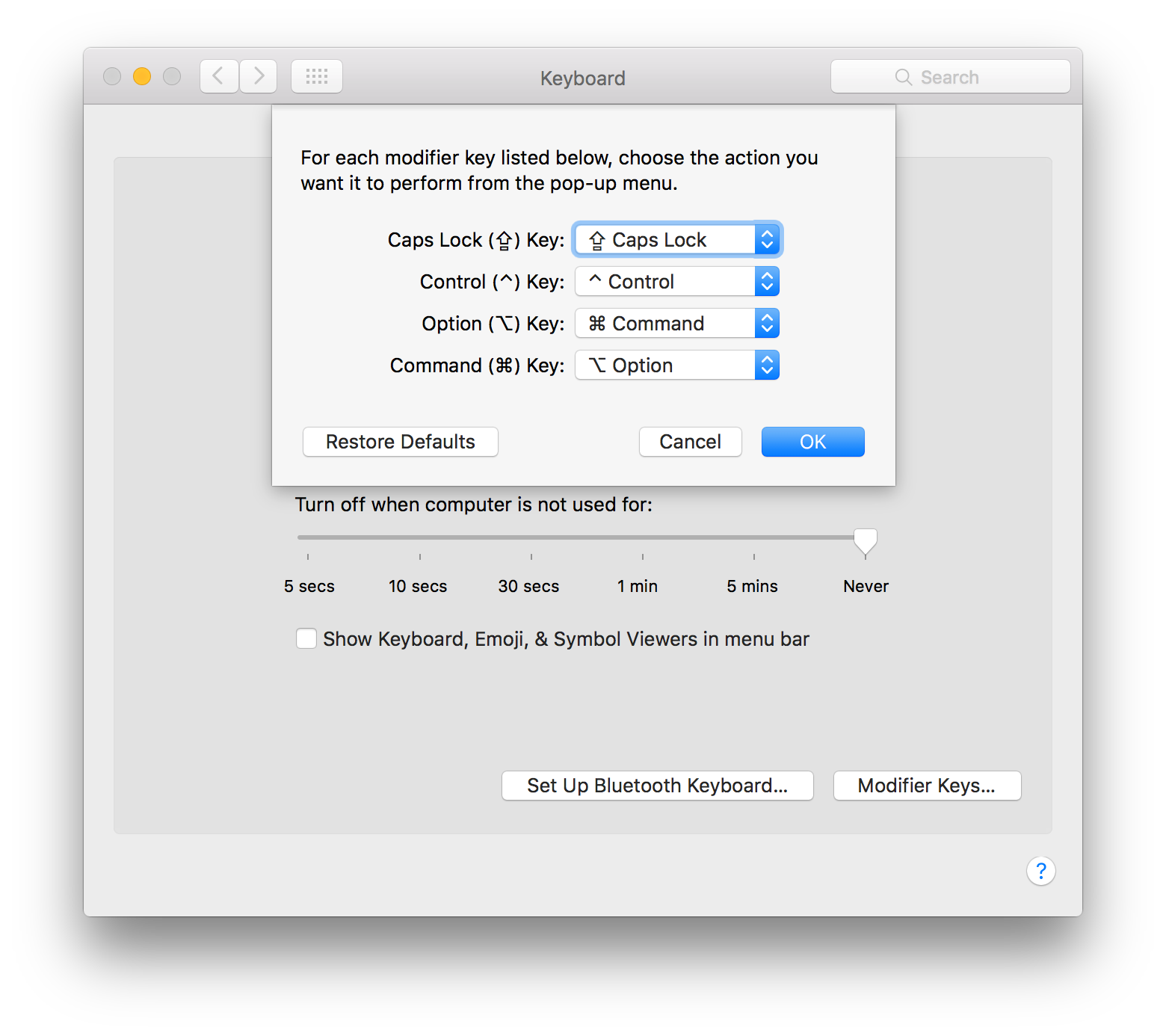
- Go to Preferences » Keyboard » Keyboard Tab » Modifier Keys…
- Select the PC keyboard from the dropdown above
- Map Option (⌥) to ⌘ Command
- Map Command (⌘) to ⌥ Option
Share: